

100% Welcome Bonus up to RM 1,300

Glory Casino Payments — Deposit and Withdrawal Methods in Malaysia
Fund your account on Glory Casino’s Malaysia site within minutes using Touch ‘n Go eWallet, DuitNow QR, GrabPay, or ShopeePay. Deposits start at RM 10 and go up to RM 50,000 per transaction, with most eWallet payments credited to your balance within minutes. Withdrawals begin at RM 30 and cap at RM 50,000 per day, processed without commission. New players who complete a first deposit of RM 30 or more qualify for a 100% Welcome Bonus up to RM 1,300. Every payment method listed below works in Malaysian Ringgit, so no currency conversion applies to your transactions.
Glory Casino Deposit Instructions for Malaysia Users
Complete the Glory Casino sign-up form first — a registered account and a supported payment method are all you need to fund your balance. Complete the steps below to finish your first deposit in under two minutes.
Step 1
Log In to Your Account
Click the button below to access your account. Enter your registered mobile number or email plus your password.
Step 2
Open the Cashier
Select “Deposit” from the account menu once you’re logged in. The cashier displays every payment method available in Malaysia.
Step 3
Choose Your Payment Method
Pick Touch ‘n Go eWallet, DuitNow QR, GrabPay, BoostPay, or ShopeePay. Each option displays its own minimum and maximum deposit limit.
Step 4
Enter the Deposit Amount
Type an amount between RM 10 and RM 50,000. Confirm the transaction through your banking app or eWallet.
Step 5
Confirm and Play
Your balance updates within minutes for most eWallet transactions. Head to the casino lobby or sportsbook to place your first wager.
Glory Casino App Deposit Instructions for Malaysia Users
The Glory Casino iOS app carries the same cashier and Malaysian payment options as the desktop site. You need the app installed on your device and a funded eWallet or bank account to complete a deposit.
Step 1
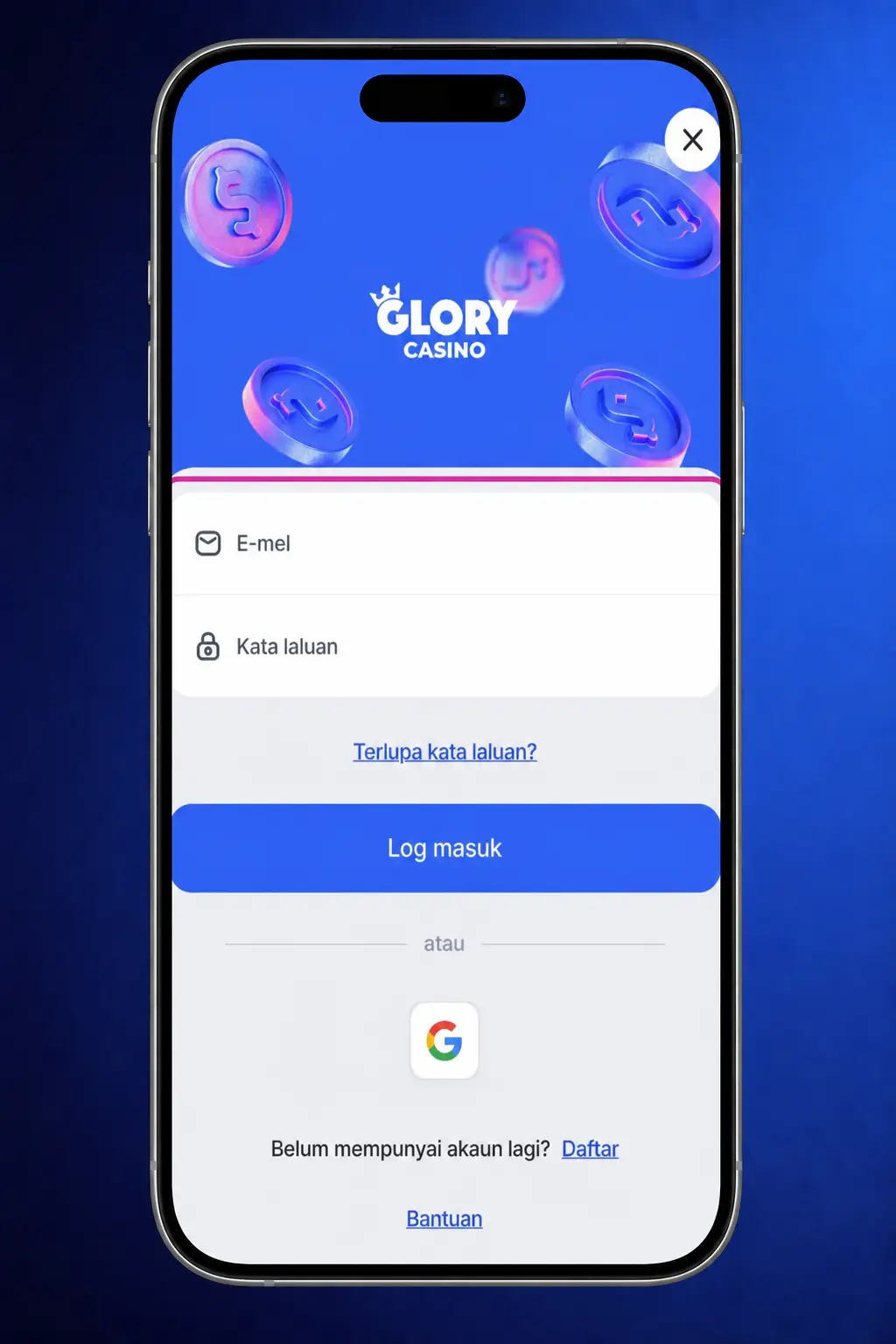
Log In to the App
Click the button below to open your account in the app. Sign in using your mobile number and password.
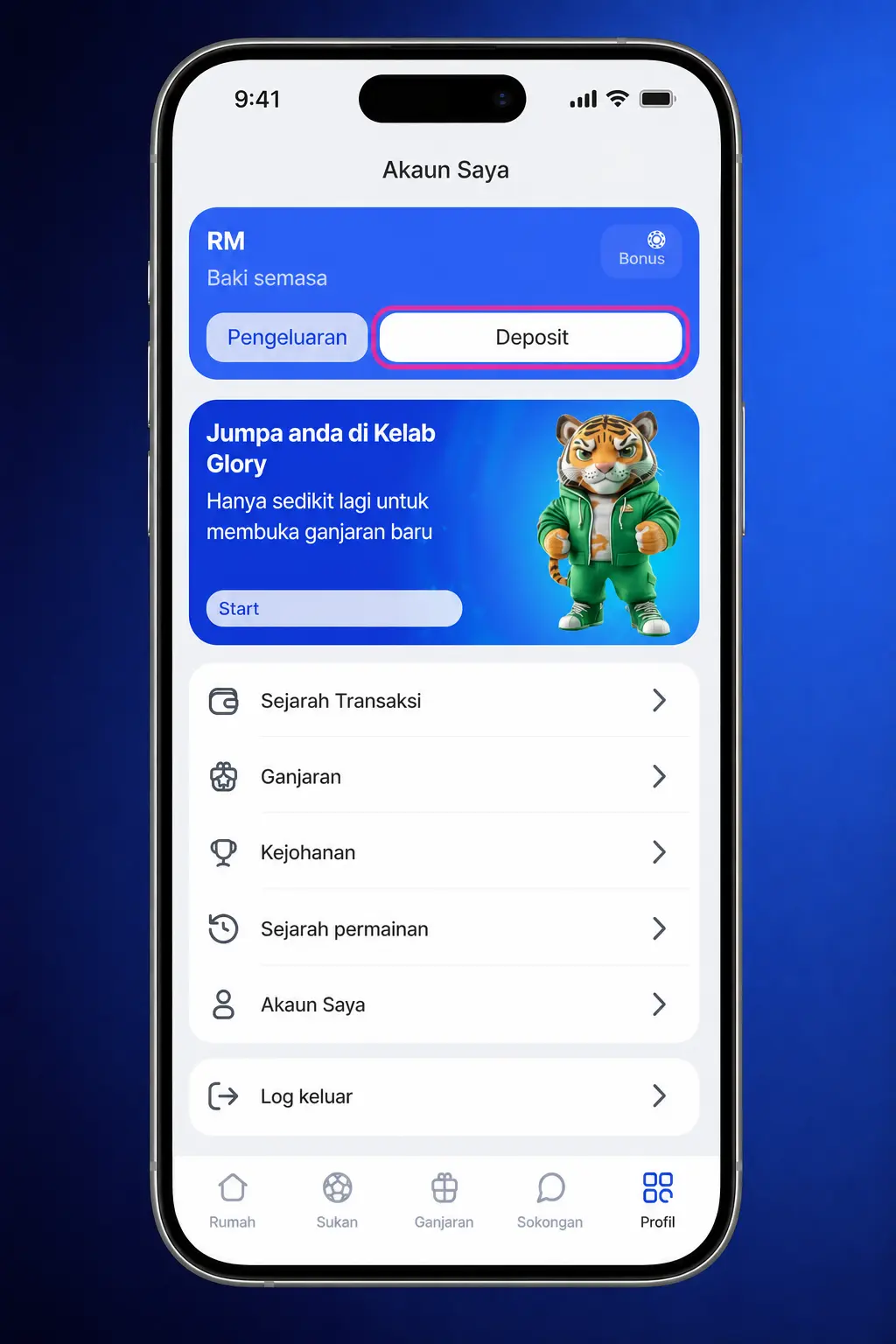
Step 2
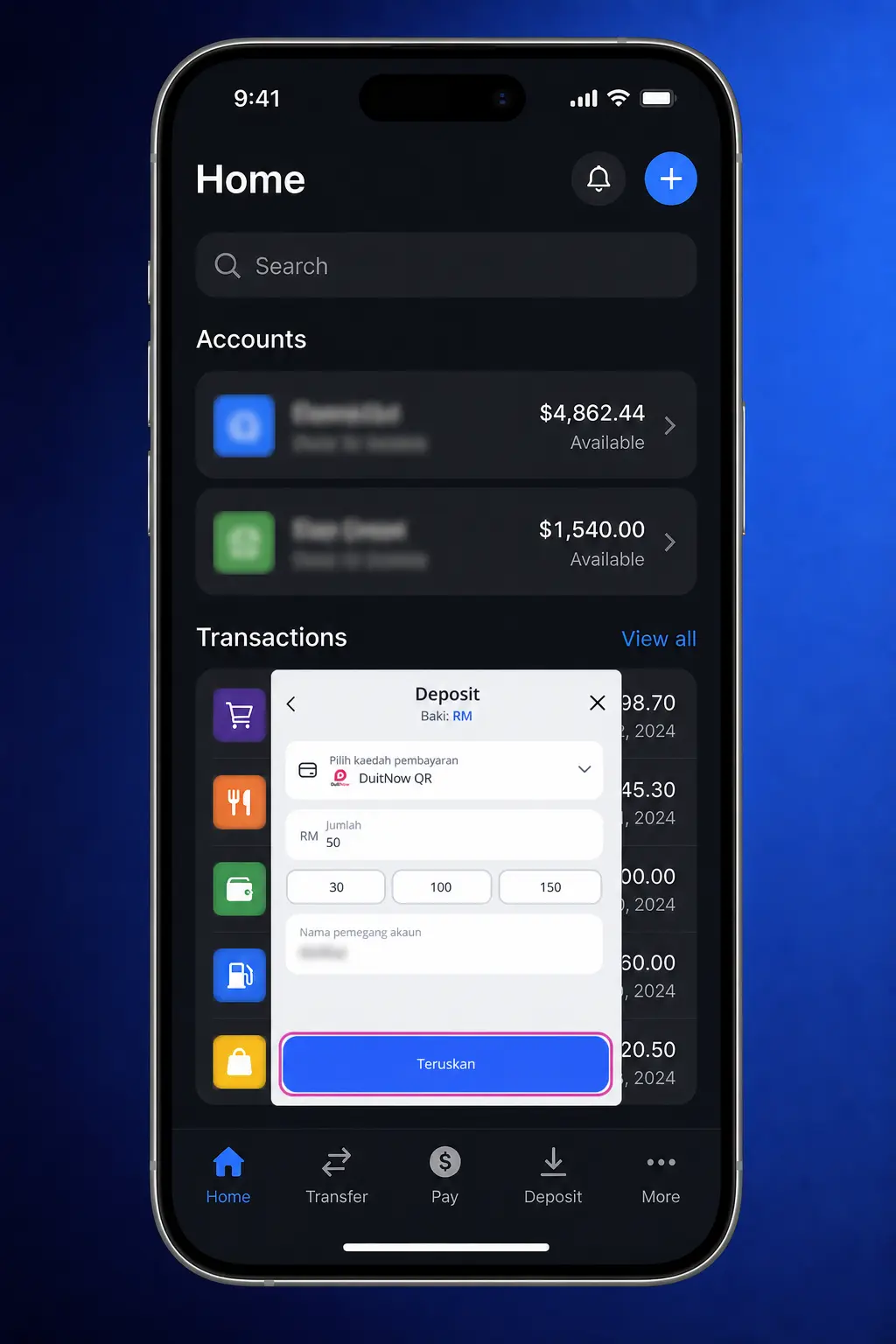
Tap the Deposit Icon
Locate the wallet icon on the home screen after login. Tap it to open the deposit menu.
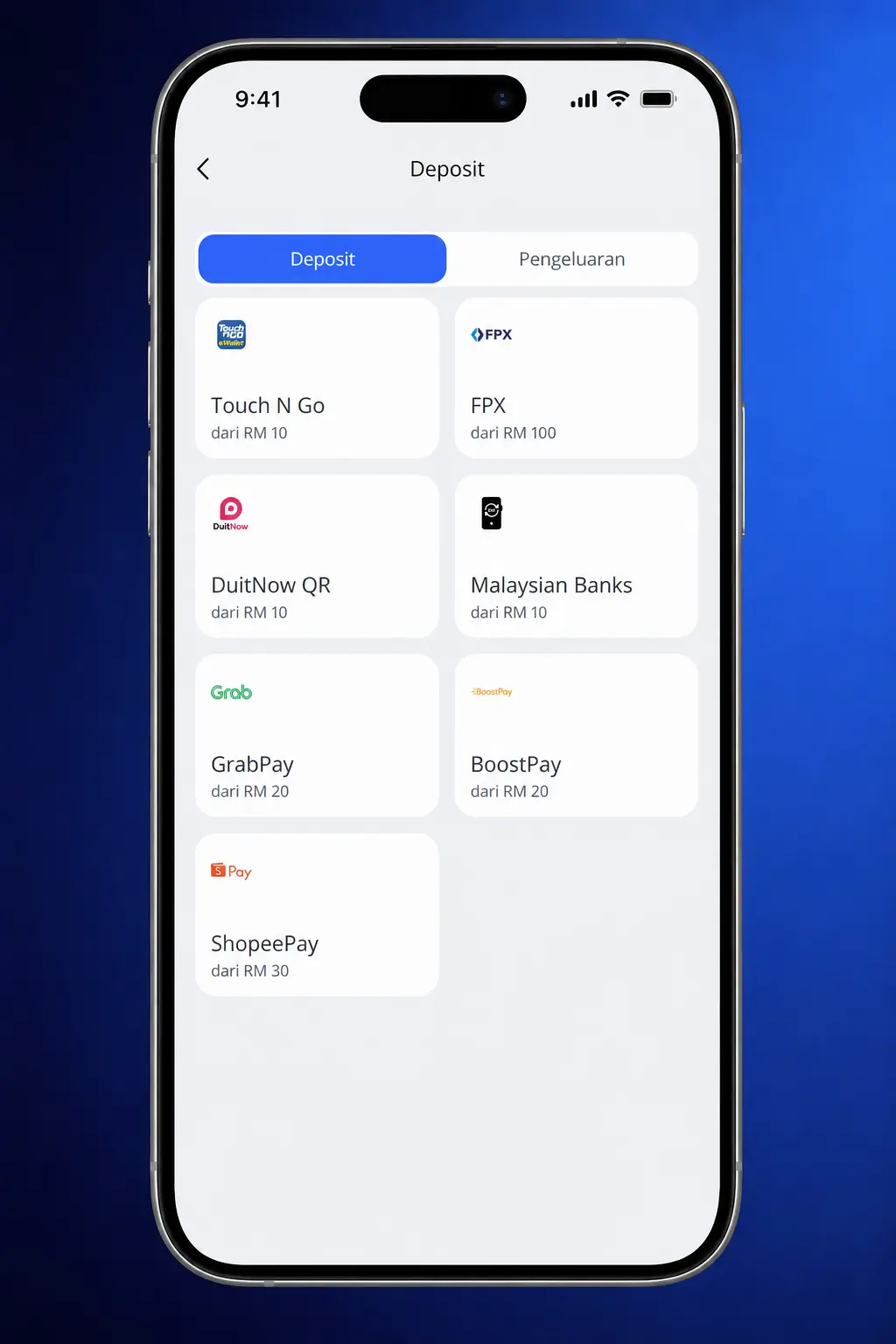
Step 3
Select a Payment Method
Choose from Touch ‘n Go eWallet, DuitNow QR, GrabPay, BoostPay, or ShopeePay. The app shows current limits for each option.
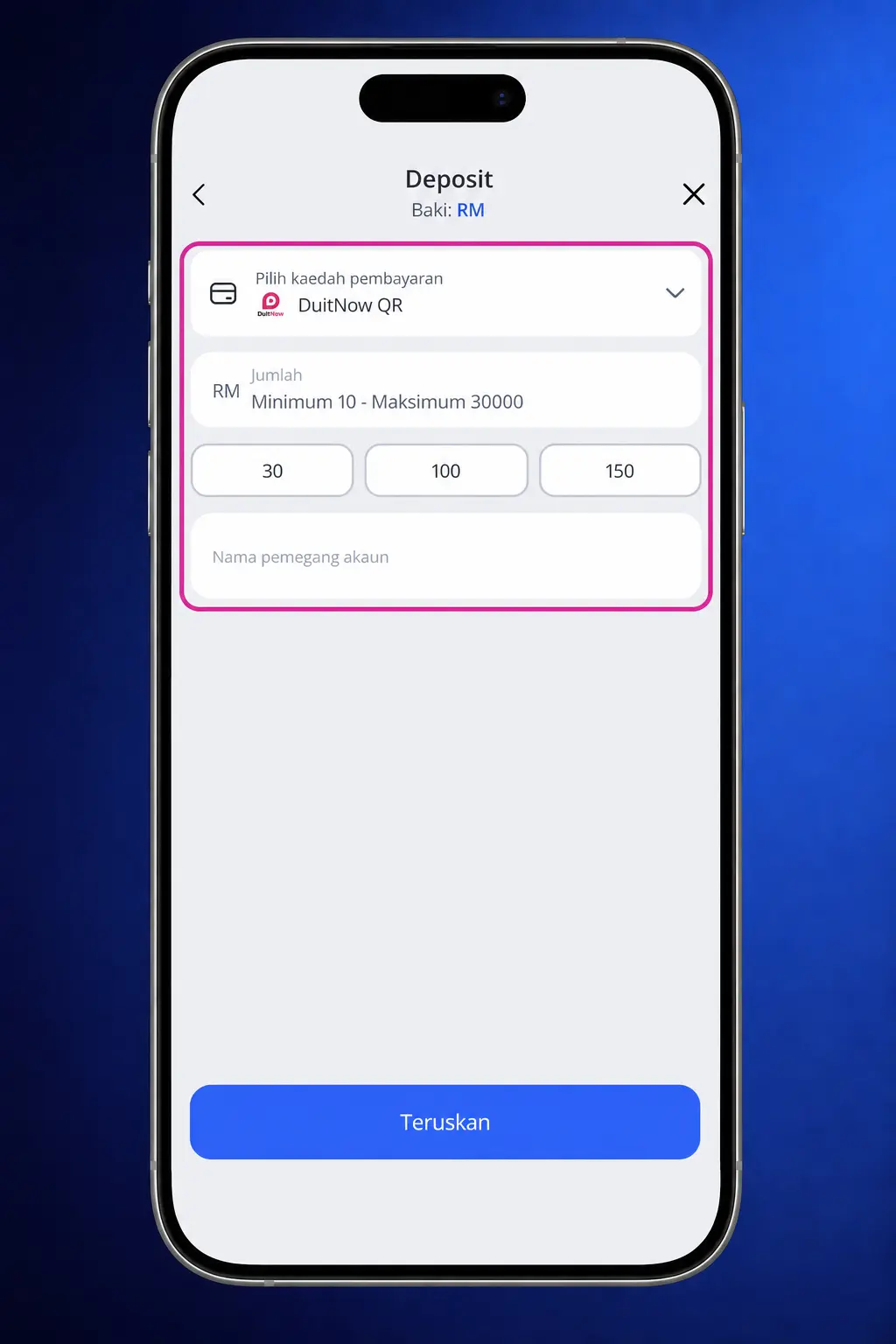
Step 4
Input the Deposit Amount
Enter a figure between RM 10 and RM 50,000. Approve the payment through your linked banking app.
Step 5
Verify Your Balance
Check your updated balance on the app home screen. Most transactions post within a few minutes.
Glory Casino Deposit Methods, Time and Limits
Glory Casino Malaysia charges no commission on any deposit method. The minimum deposit is RM 10 and the maximum deposit stands at RM 50,000 per transaction, with funds typically credited within 1 to 5 minutes.
| Payment Method | Minimum Deposit | Maximum Deposit | Processing Time | Fee |
|---|---|---|---|---|
| Touch ‘n Go eWallet | RM 10 | RM 30,000 | Instant | No fee |
| DuitNow QR | RM 10 | RM 50,000 | Instant | No fee |
| GrabPay | RM 10 | RM 20,000 | Instant | No fee |
| BoostPay | RM 10 | RM 20,000 | Instant | No fee |
| ShopeePay | RM 10 | RM 20,000 | Instant | No fee |

Glory Casino First Deposit Bonus for New Players
New players claim the Glory Casino bonus — a 100% match up to RM 1,300 on their first deposit. The bonus applies to casino slots and matches your deposit at 100%, up to a maximum of RM 1,300, once you fund your account with at least RM 30. Wager the bonus amount 30 times within 7 days of activation to convert it into withdrawable balance. Slot titles contribute 100% toward the rollover, while live casino and table games contribute at reduced rates.
How to Withdraw Money from Glory Casino
Request a withdrawal once your balance meets the minimum threshold and your account passes verification. Complete the steps below to move funds from your Glory Casino balance to your chosen payment method.
Step 1
Log In to Your Account
Click the button below to access your balance. Enter your registered mobile number and password.
Step 2
Open the Withdrawal Menu
Select “Withdraw” from the account dashboard. The menu lists every payment method linked to your profile.
Step 3
Choose Your Payment Method
Pick Touch ‘n Go eWallet, DuitNow QR, GrabPay, BoostPay, or ShopeePay. Confirm the account details match your registered name.
Step 4
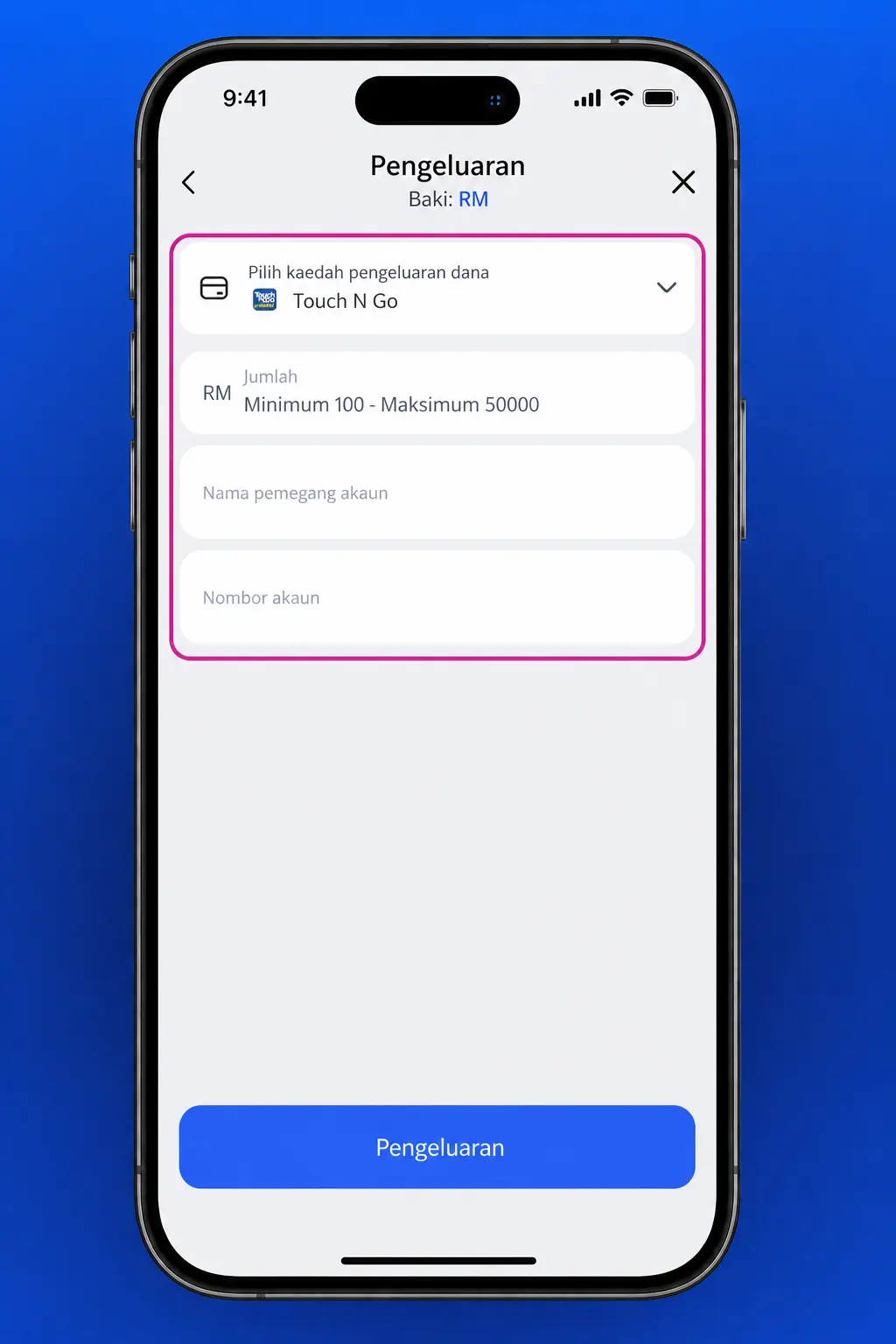
Enter the Withdrawal Amount
Type a figure between RM 30 and RM 50,000. Submit the request for processing.
Step 5
Track Your Request
Monitor the withdrawal status from the transaction history tab. Most requests clear within 24 hours.
How to Withdraw Money from the Glory Casino App
The Glory Casino app lets you request a withdrawal using the same verified payment details as the desktop site. Your account needs a cleared balance above RM 30 and a completed verification process before you submit a request.
Step 1
Log In to the App
Click the button below to open your account on your mobile device. Sign in with your registered credentials.
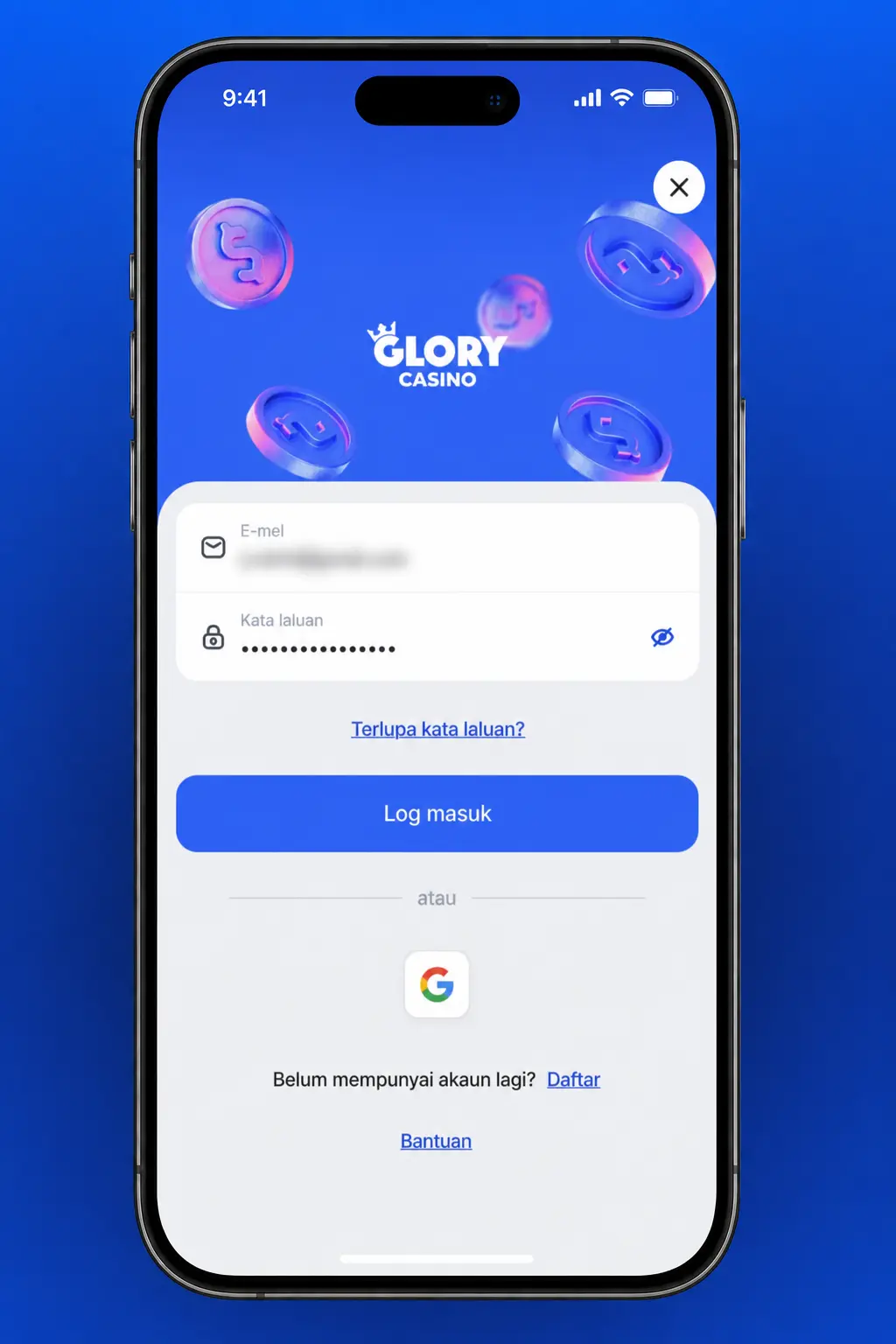
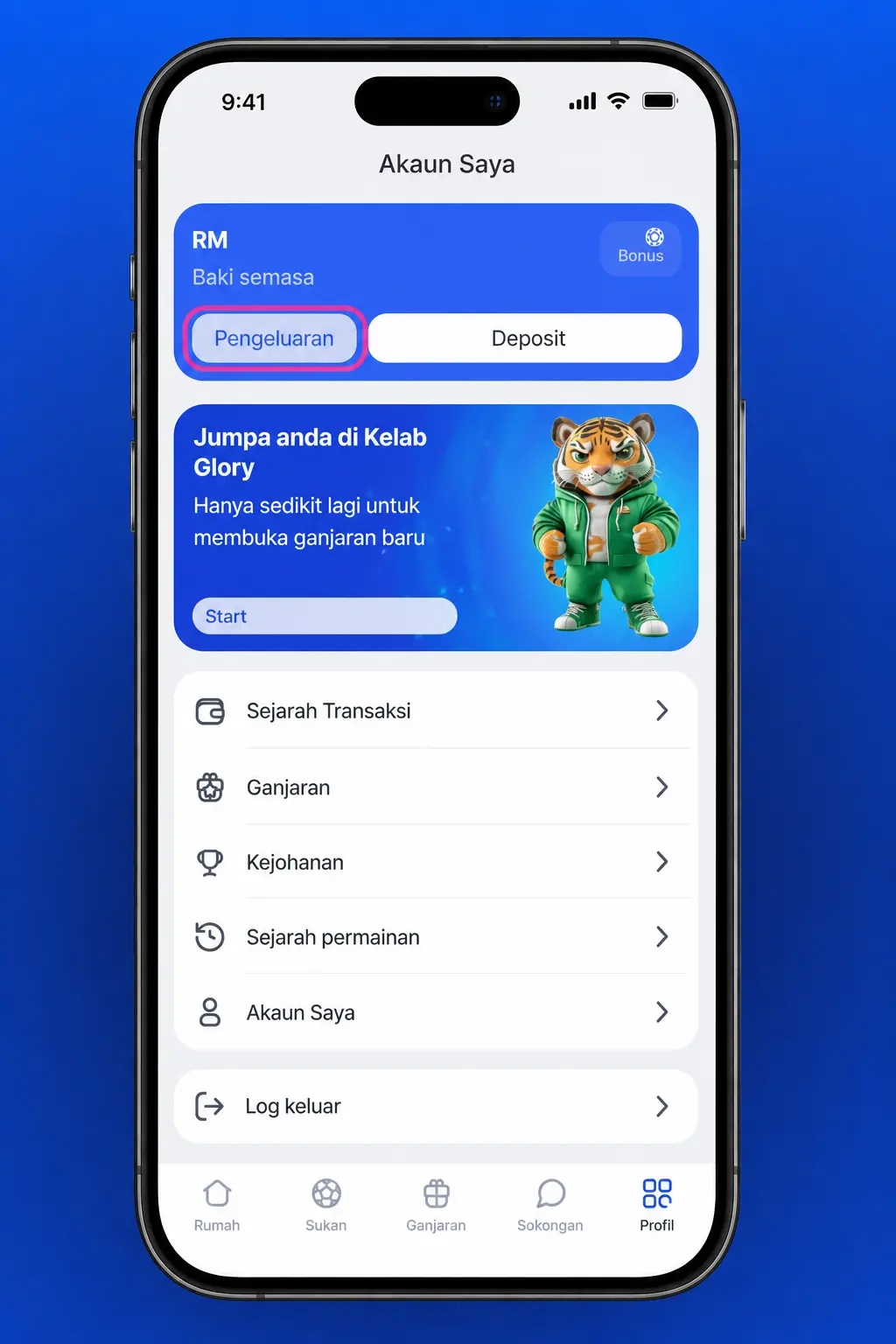
Step 2
Tap Withdraw
Locate the withdraw icon on the app home screen. Tap it to open the withdrawal form.
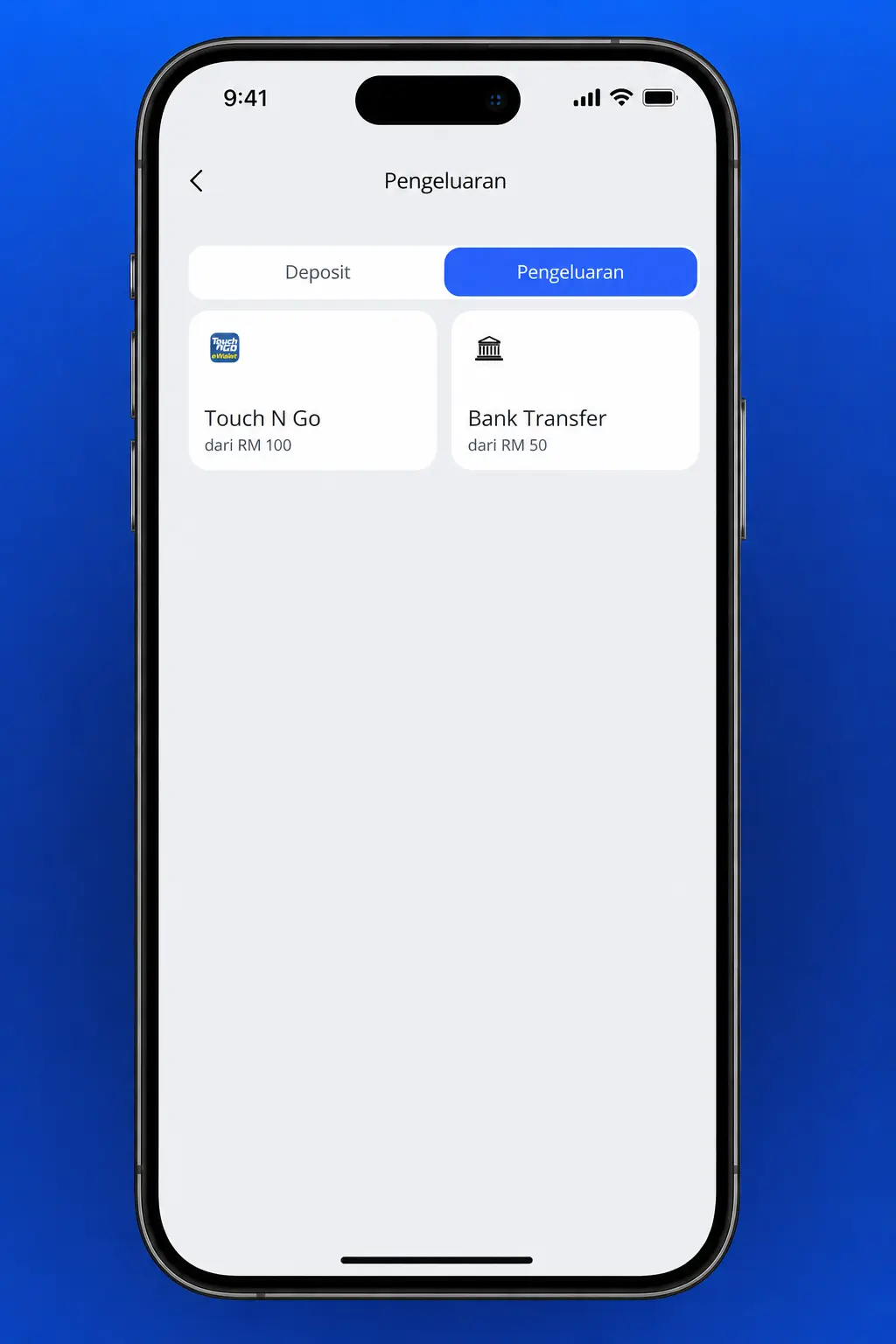
Step 3
Select Your Payment Method
Choose Touch ‘n Go eWallet, DuitNow QR, GrabPay, BoostPay, or ShopeePay. Confirm the linked account matches your profile name.
Step 4
Confirm the Amount
Enter an amount between RM 30 and RM 50,000. Review the details before submitting.
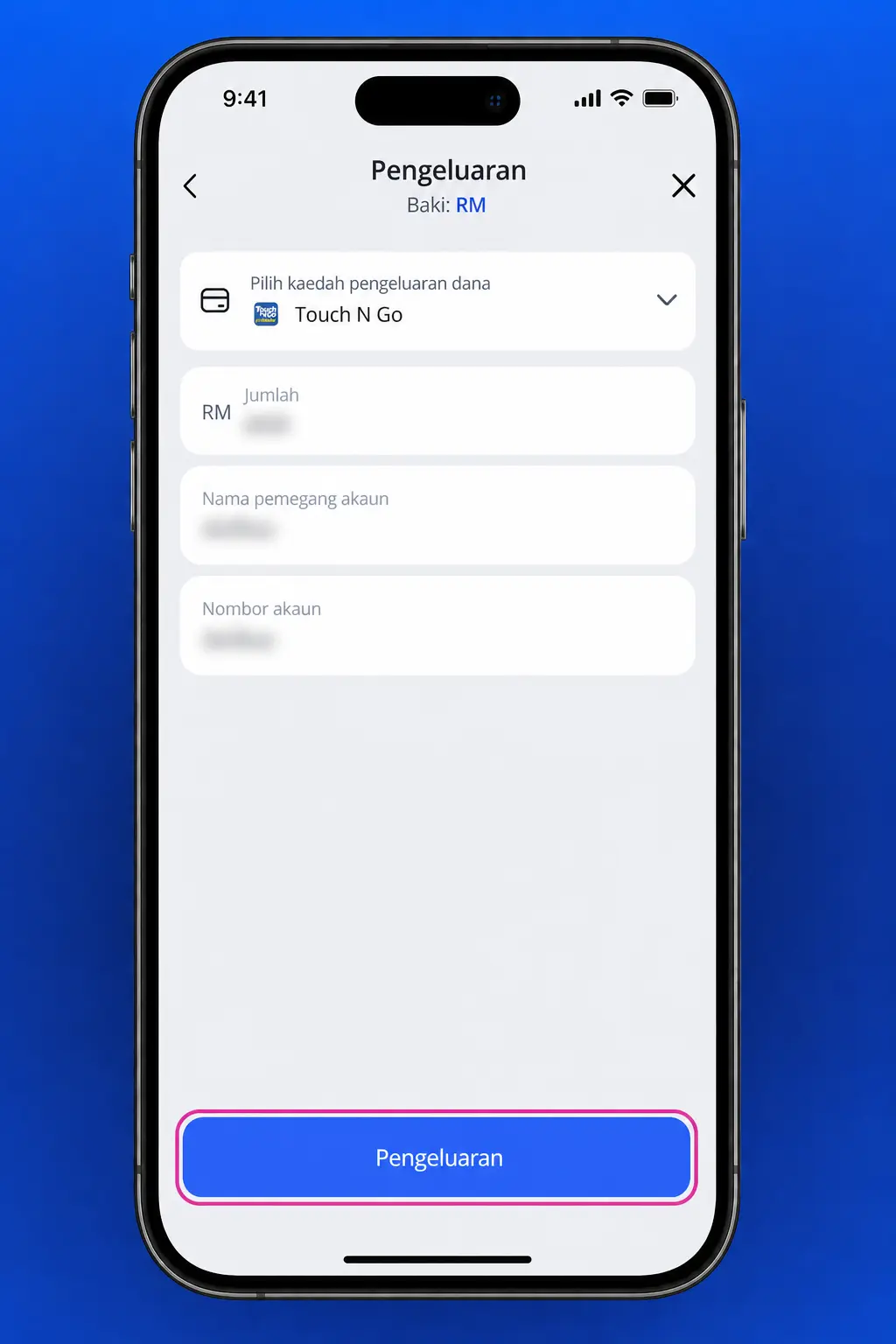
Step 5
Wait for Confirmation
Track your request status under transaction history. Processing takes between 15 minutes and 24 hours.
Glory Casino Malaysia Withdrawal Methods, Time and Limits
Glory Casino applies no commission on withdrawals across every payment method available in Malaysia. The minimum withdrawal amount is RM 30, the maximum reaches RM 50,000 per day, and withdrawal time ranges between 15 minutes and 24 hours depending on the method chosen.
| Payment Method | Minimum Withdrawal | Maximum Withdrawal | Processing Time | Fee |
|---|---|---|---|---|
| Touch ‘n Go eWallet | RM 30 | RM 30,000 | 15 minutes – 24 hours | No fee |
| DuitNow QR | RM 30 | RM 50,000 | Up to 24 hours | No fee |
| GrabPay | RM 30 | RM 20,000 | Up to 24 hours | No fee |
| BoostPay | RM 30 | RM 20,000 | Up to 24 hours | No fee |
| ShopeePay | RM 30 | RM 20,000 | Up to 24 hours | No fee |
Glory Casino Payment Rules and Conditions
Every deposit and withdrawal request on Glory Casino follows a set of account and verification rules. Review the conditions below before you submit a transaction.
- Verification process requires a valid Malaysian IC or passport before your first withdrawal request;
- Payment details must match the information on your registered account for every deposit and withdrawal;
- Bonus wagering requirements must clear before you withdraw funds tied to a promotion;
- Daily withdrawal requests cap at RM 50,000, with larger amounts split across multiple submissions;
- Transactions process in Malaysian Ringgit only, with no currency conversion fee applied.

Popular Glory Casino Deposit Methods in Malaysia
Glory Casino Malaysia supports the payment systems used daily by Malaysian players across the platform. Each option below processes deposits without commission.
- Touch ‘n Go eWallet: Malaysia’s most used digital wallet, with deposits posted to your balance within seconds through a QR code scan;
- DuitNow QR: a national payment standard that links every major Malaysian bank, so you deposit without entering card details;
- GrabPay: the wallet built into the Grab app, which funds your balance directly from your Grab account;
- BoostPay: Axiata’s eWallet service with wide merchant acceptance across Malaysia, with deposits cleared after a PIN confirmation;
- ShopeePay: linked to your Shopee account balance, so you deposit with the same PIN used for online shopping.

Possible Payment Problems at Glory Casino
Payment issues affect a small share of transactions on Glory Casino, and most resolve within minutes once you identify the cause. Review the common problems below before you contact support.
- Delayed deposit confirmation: refresh the cashier page and check your eWallet history before you submit a duplicate deposit;
- Withdrawal held for verification: submit a clear photo of your IC and a recent utility bill to clear a request stuck beyond 24 hours;
- Name mismatch rejection: update your payment method to one registered under your own name after a failed withdrawal;
- Daily limit reached: split a withdrawal above RM 50,000 across two payment methods or two separate days;
- Unwagered bonus balance: check your wagering progress under the bonus tab before you submit a withdrawal request.

Glory Casino Customer Support for Payment Issues
Support agents help resolve payment issues around the clock, seven days a week. Reach the team through any of the channels below.
- Live chat: tap the chat icon on any page for a reply within 2 minutes;
- Email support: submit a ticket through the Help tab in your account dashboard, with replies within 24 hours;
- WhatsApp: message the support line listed in the site footer for a quick payment status update;
- Telegram: follow the official channel linked in the footer for payment processing updates.
FAQ
What is the minimum deposit at Glory Casino Malaysia?
RM 10 across every supported payment method, including Touch ‘n Go eWallet and DuitNow QR.
What is the minimum withdrawal amount at Glory Casino?
RM 30 per request, regardless of the payment method you choose.
How long does a withdrawal take to process?
Between 15 minutes and 24 hours, depending on your chosen payment method and verification status.
Can I deposit and withdraw using different payment methods?
You must withdraw through a payment method registered under your own name, though it does not need to match your deposit method.
Are there fees on deposits or withdrawals?
No commission applies to any listed payment method for Malaysian players.
What happens if I enter the wrong deposit amount?
Contact the support team before starting a new transaction to prevent duplicate charges to your eWallet.
Do I need to verify my account before withdrawing funds?
Yes, submit your IC and a proof of address document before your first withdrawal request clears.
Updated: